
Maurer-Stutz
  • Home
  • Services
    • Agricultural and Livestock Engineering
      • Livestock Facility Planning and Design
    • Conservation and Natural Resources
    • Site Development and Private Civil
      • Transportation
      • Surveying Support
    • Municipal and Public Works
      • Water Systems
      • Wastewater Systems
      • Transportation
      • Construction Engineering and Observation
    • Structural Engineering
    • Surveying and Geospatial
      • GIS / Geospatial Solutions
      • Land Surveying
  • News
  • About Us
    • Licensure and Prequals
  • Careers
  • Contact
  • Click to open the search input field Click to open the search input field Search
  • Menu Menu

Rolling for Initiative at the ITAG Conference

June 23, 2025/in Events/by Maurer-Stutz

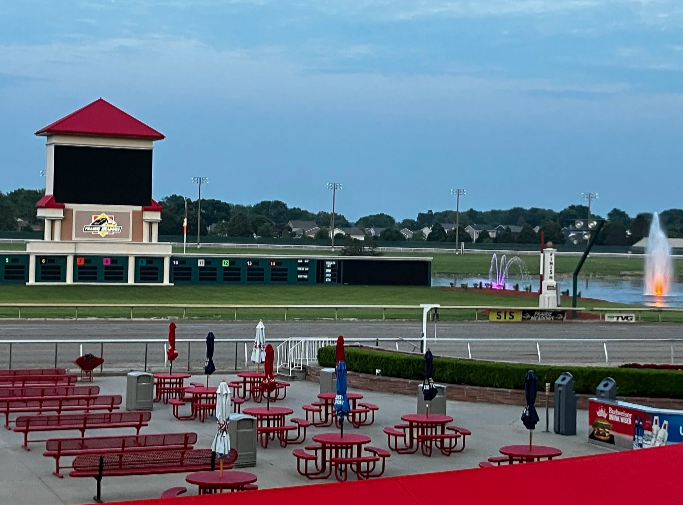
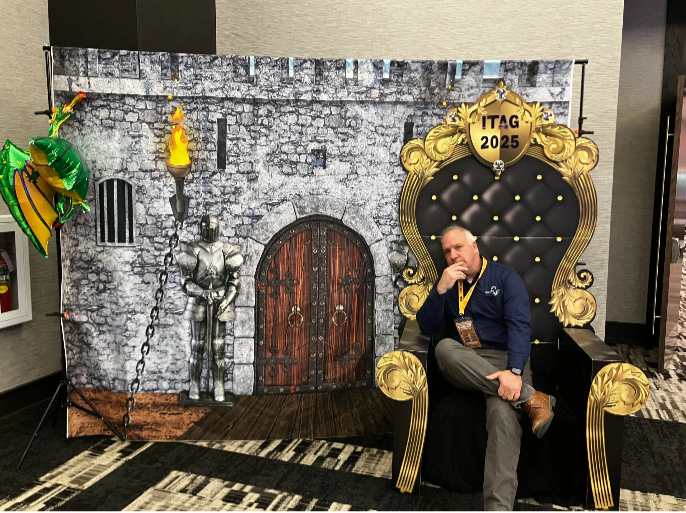
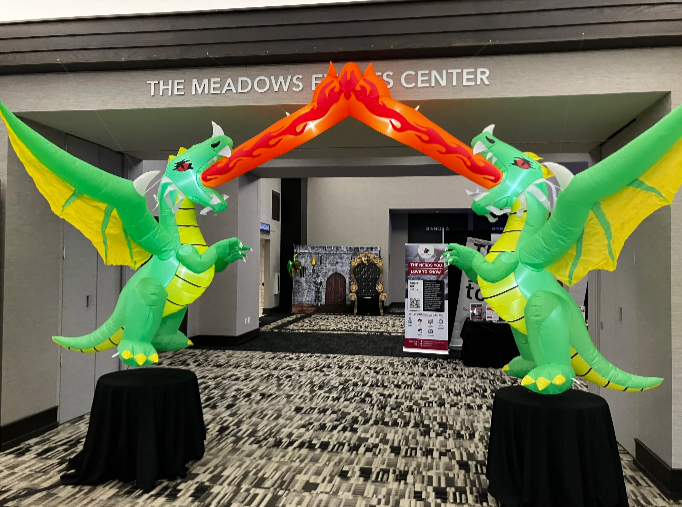
I recently had the incredible opportunity to attend the ITAG Conference from June 3-5, 2025, at The Meadows Events and Conference Center in Altoona, IA. As a first-timer, I was half-expecting the typical tech conference, but the whole Dungeons andamp; Dragons theme was a brilliant touch – it really set the stage for an ‘epic adventure’ in learning and networking, right from the entryway.

For those unfamiliar with this quest, the ITAG Conference is a collaborative annual event brought to us by the Iowa Geographic Information Council (IGIC) and the Iowa Counties Information Technology (ICIT) organizations. It’s awesome how they combine their individual conferences into one big, comprehensive technology and geospatial event. They really understand the overlap between IT and GIS and celebrate with nerd within.

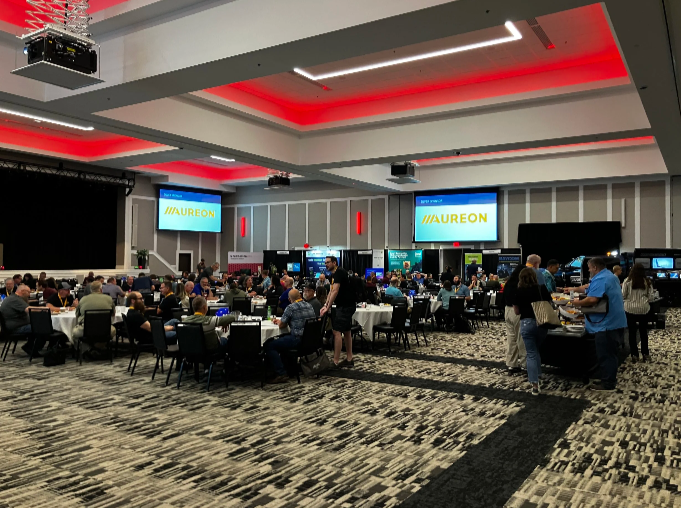
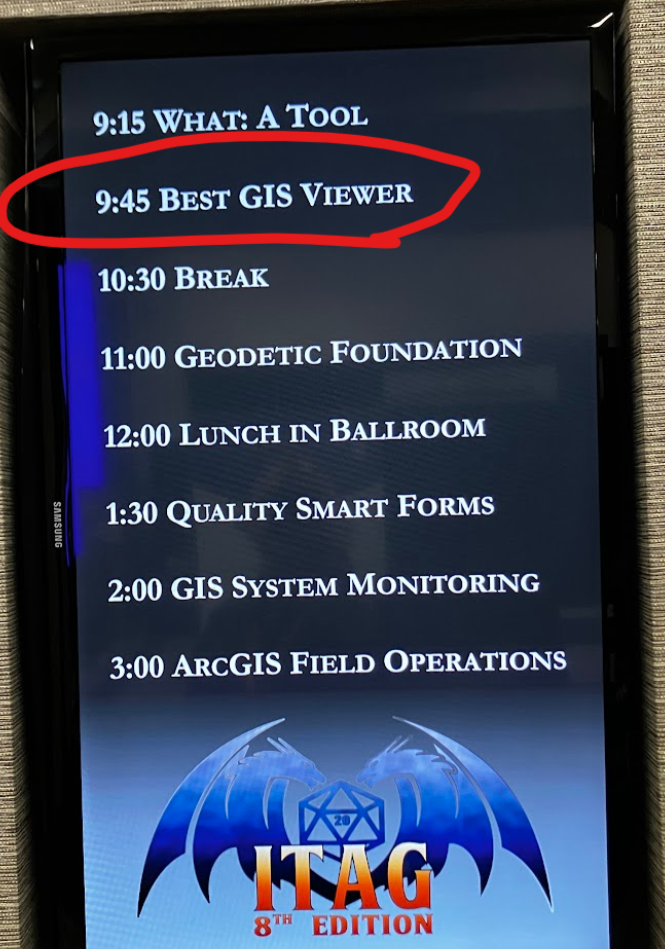
I was there as both an exhibitor and a presenter, which gave me a unique and engaging perspective on the entire event. The conference was packed with valuable insights, offering over 50 hours of diverse educational content. The main conference, spanning from Wednesday, June 4, through Friday, June 6, was thoughtfully structured with five distinct educational tracks. Two of these tracks were specifically dedicated to geospatial technologies, while another two delved deep into essential IT technologies. The fifth track provided a more general focus, ensuring there was something for everyone. This variety allowed attendees to really tailor their experience and dive into the topics most relevant to their skills, strength and charisma.

Beyond the structured learning, the emphasis on networking and the exchange of knowledge and professional practices truly shone through. I loved having the chance to connect with so many talented professionals from various fields, sharing ideas, and hearing about different approaches and best practices. It’s clear that the primary goal of the conference is to promote education, training, and cooperation in both technology and GIS, and they certainly achieved that, even rolling a 20! (OK, last lame joke)

The conference fostered a very welcoming environment, and it was great to see that attendance wasn’t restricted by IGIC or ICIT membership, as I have neither. This inclusivity really broadens the scope of discussions and makes for a richer experience for everyone involved. Plus, the well-organized opportunities for professional networking, combined with pleasant meals and entertainment, added to the overall positive atmosphere, making the entire experience even more enjoyable and memorable.

Whether you’re deeply immersed in GIS, passionate about IT, or simply curious about the latest advancements and collaborations in technology, this conference is definitely for you. I gained so much, both in terms of knowledge and valuable connections, and I wholeheartedly recommend it to anyone in the field and can’t wait to see the theme for next year.

I had such a positive experience and learned an immense amount. I’m already looking forward to next year and can’t wait to see what new insights and connections the next ITAG Conference brings!
https://www.mstutz.com/wp-content/uploads/2025/06/Screenshot2026-01-23111301.webp 500 962 Maurer-Stutz https://www.mstutz.com/wp-content/uploads/2026/08/Logo-1030x301.webp Maurer-Stutz2025-06-23 16:11:022025-06-23 16:11:02Rolling for Initiative at the ITAG Conference

Reports, Reporting for Duty

June 9, 2025/in Geospatial Project/by Maurer-Stutz

Utilizing ArcGIS Reports

At Maurer-Stutz Geospatial Services, we have many projects that require reporting. Today, we want to help other ArcGIS Pro users utilize the reporting functions built within that system in an easy and effective way.

The Reports function allows you to quickly generate a report from your data. You can:

  • Display only the fields you specify for each feature.

  • Add visual elements like graphs and charts.

  • Filter the data to show only what’s relevant to the purpose of the report.

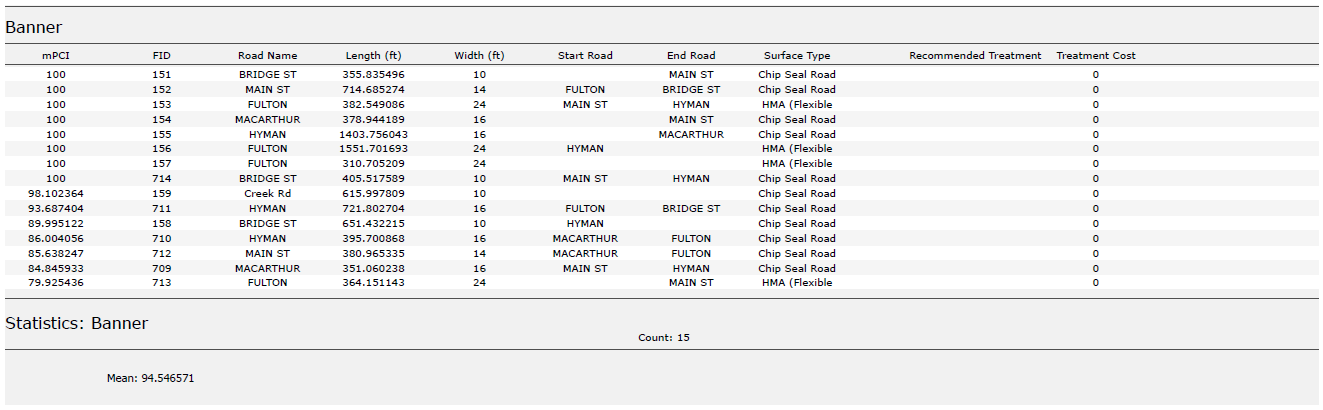
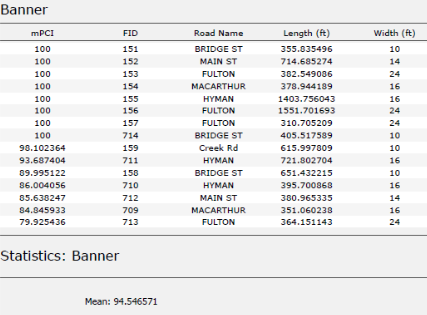
In this example, I used road assessment data as my source, and wanted to create a report showing me each road across 11 different towns, sorted from worst to best based on their score (mPCI).

Step 1: Select Your Data

  1. Select the map frame that contains the data you want to use.

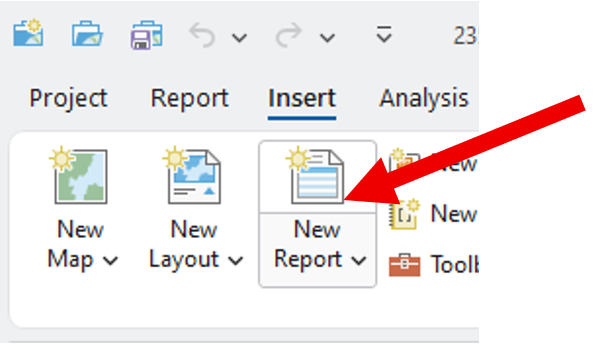
Go to the Insert tab and click New Report.

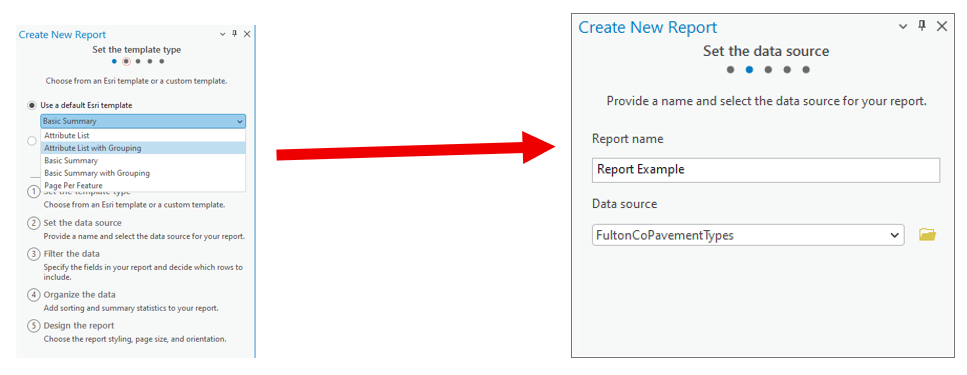
Step 2: Choose a Template

  • Select a report template.
    Example: Choose Attribute List with Grouping.

  • Name your report.

  • Select the data source (the dataset you’ll report on).

Step 3: Organize the Data

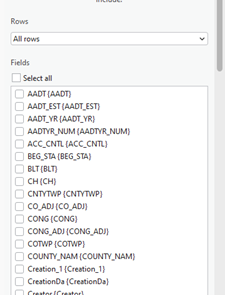
  1. Choose the fields you want to display.
    Example: For a road assessment, include:

    • Road Name

    • Assessment Score

    • Length

    • Width

    • Material

    • Other relevant details

andnbsp;Tip: Drag and drop fields to reorder them in the report.

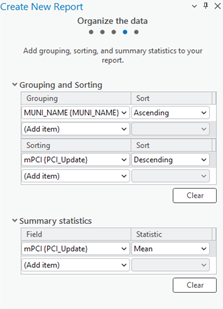
2. Select a grouping field to organize your report.
Example: Group by Municipality.

3. Define sorting rules within each group.
Example: Sort roads by Assessment Score (descending),
so the lowest scores appear first.

4. (Optional) Add group statistics:

    • Choose a field (e.g., Assessment Score).

    • Select a statistic (e.g., Mean) to summarize each group.

5. Set your page size and click Finish.

Step 4: Preview the Report

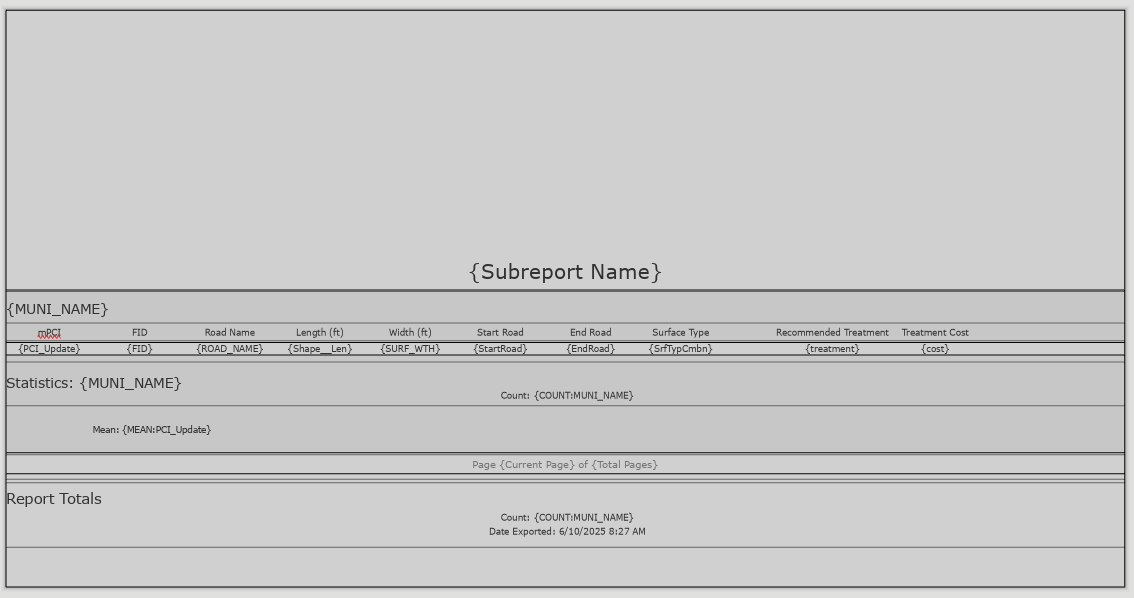
  • Your report will now display:

    • Each road grouped by municipality.

    • Roads within each group sorted by assessment score.

  • You can rename column headers to make them more readable.
    (Just like editing text in Layout View.)

Step 5: Export the Report

  • Export the report as a PDF or another supported format.

  • Your final report will include:

    • Organized, grouped, and sorted data.

    • Optional charts, statistics, or summary sections if added.

Additional Tips

  • Use the Insert tab to:

    • Add more fields or statistics after the report has been created.

    • Insert charts, dynamic images, or text blocks.

  • Choose where these additions appear:

    • Statistics Group: Appears at the end of each group (e.g., each municipality).

    • Report Totals: Appears at the very end of the full report.

We hope this has been a casual guide to creating reports in ArcGIS. It walks you through generating a report from your data, showing you how to pick what information to display, add visuals like graphs and charts, and filter what’s relevant. You’ll learn how to select your data, choose a template, organize your information by grouping and sorting, preview your report, and finally, export it as a PDF or other format. There are also some neat tricks for customizing your report, like adding more fields or charts after it’s been created

If you have other questions please don’t hesitate to contact us in the form below.

https://www.mstutz.com/wp-content/uploads/2025/06/Screenshot2025-06-12095610.webp 315 427 Maurer-Stutz https://www.mstutz.com/wp-content/uploads/2026/08/Logo-1030x301.webp Maurer-Stutz2025-06-09 19:31:002025-06-09 19:31:00Reports, Reporting for Duty
Search Search

Categories

  • Events
  • Geospatial Project
  • GIS Industry News
  • MSGS News
  • Uncategorized

Tags

49" Monitor Admin Aerial Services AGLA announcement ArcGIS ArcGIS Earth ArcGIS Online Basic GIS Cartogrpahy Chattanooga Chicago conferences construction Consulting Dell drones East Peoria employee Enterprise GIS Esri Ethics examples Fiber Fulton GEOGRAPH GIS Hiking ILGISA ISU Jelly Belly Kanban Leadership Maps marketing MSI new Parks Partnership Portal Surveying UAS URISA VSM webgis
  • Home
  • Services
  • News
  • About Us
  • Careers
  • Contact
@2026 Maurer-Stutz. All Rights Reserved. | Privacy Policy
Scroll to top Scroll to top Scroll to top