
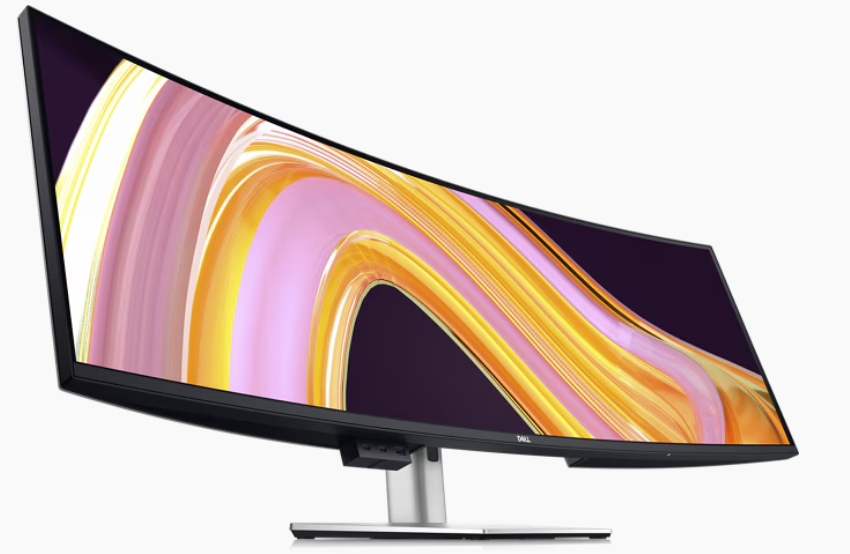
3275 Pixels is Plenty!
A recent project provided an unexpected yet valuable lesson in troubleshooting and understanding the limits of modern web mapping applications. In this post, we walk through our journey from a successful ArcGIS Enterprise 11.3 installation to unearthing a surprising resolution related to the Experience Builder’s map element size.
We recently completed a major installation of ArcGIS Enterprise 11.3 for a client, which included a complete data migration into their new system. Utilizing ArcGIS Pro, we published layers from their database directly to their new portal. Everything was set up for a seamless experience—until an unexpected issue emerged.
The Alignment Issue
After deploying the webmap in an Experience Builder application, our team noticed that the map layers were not aligning correctly with the basemap. Here’s what we observed:
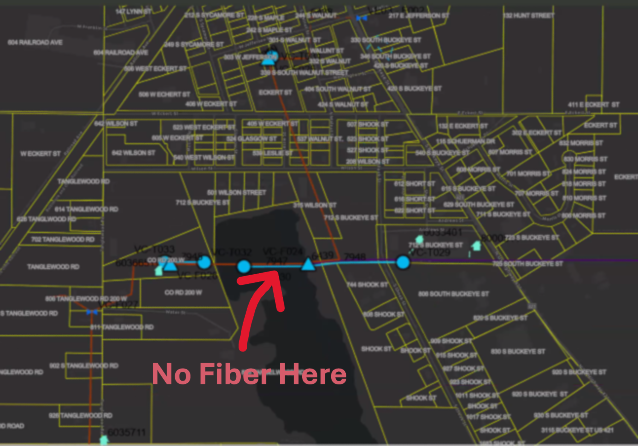
The image above is intentionally fuzzy.
Consistently Inconsistent: Despite verifying projections and coordinate systems, every republish of the map layers resulted in misalignment in the ArcGIS Portal webmap. The fiber network feature seemed to ‘hop’ around the map space.
Conflicting Results Across Devices:
The client’s computer exhibited persistent alignment issues.
Interestingly, when we accessed the portal on our systems, as well as on an iPad or another user’s computer, the map data aligned perfectly.
This inconsistency was perplexing and demanded deeper investigation.
The Debugging Journey
We began by rechecking every variable that could influence map rendering:
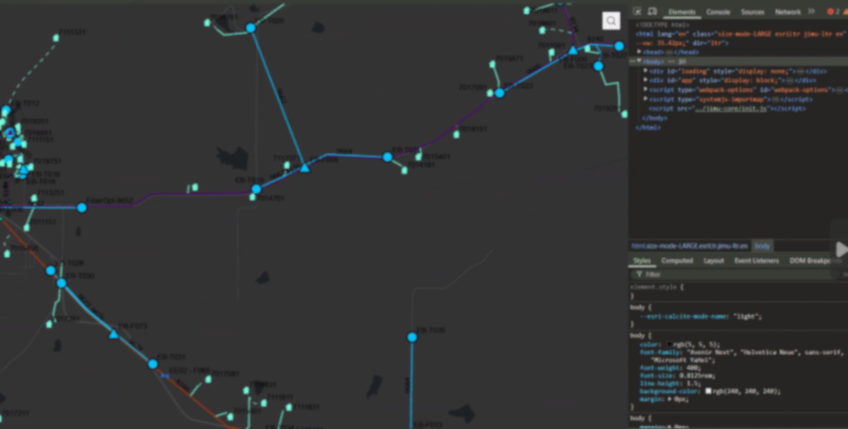
The image above is intentionally fuzzy.
Revalidating Projections and Coordinate Systems:
We double-checked all spatial references, confirming that there were no discrepancies that could cause the misalignment.Republishing Multiple Times:
Despite several attempts and republishing sessions, the misalignment persisted on the client’s main system.Browser and Cache Considerations:
We had the client try different browsers and even cleared browser caches—none of which resolved the issue.A Surprising Discovery with Developer Tools:
The breakthrough came when we noticed that opening Chrome Developer Tools seemed to “correct” the alignment. This was a critical hint that the issue might be related to the browser’s rendering dimensions.
The Root Cause: Screen Resolution and Size Limits
Digging deeper, we discovered that the primary client’s workstation featured a 49" wide screen with a resolution of 4216 x 976 pixels. When the browser window was resized (as it often is when opening Developer Tools), the map data would align properly.
After thorough testing, we pinpointed the issue to a specific limitation: the Experience Builder application’s map element appears to have a maximum width limit for properly displaying a mapping service. Our tests revealed that:
A Webmap element set to 3280 pixels would not align correctly.
Once we reduced the width to 3275 pixels, the map aligned perfectly.
This finding confirmed that the Experience Builder webmap element has a hard limit of 3275 pixels. Exceeding this limit can lead to unexpected rendering issues like the one we experienced. This is our experience, your results may vary.
Lessons

Screen Resolution Matters:
Large monitors and high-resolution screens can expose limitations in web application design that might not be apparent on standard displays.
Dynamic Testing Can Reveal Hidden Issues:
Simple actions like opening Developer Tools, which resize the browser window, can provide clues about underlying layout constraints.Set Explicit Limits:
When designing applications in Experience Builder, consider setting maximum element widths to prevent layout issues across different devices and screen sizes.Document Your Findings:
Sharing insights like these can help other developers avoid similar pitfalls and contribute to a more robust design for web mapping applications. We’re all swimming the dark, your discovery may open the door for someone else.
While our initial installation and data migration were successful, the misalignment issue provided an opportunity to dive deep into the nuances of Experience Builder’s rendering behavior. Understanding that a pixel limit of 3275 exists for the webmap element not only helped resolve our client’s issue but also highlighted the importance of considering display dimensions during application design.

It's Official! MSGS and GEOGRAPH Partnership Announcement
Our Geospatial Services group is thrilled to announce a significant milestone—a strategic partnership with GEOGRAPH Technologies! GEOGRAPH Technologies is a leader in the fiber utility geospatial technology sector, known for developing CrescentLink, a powerful telecommunications asset management software add-in for ArcGIS Pro. Our expertise in Enterprise GIS and consultant GIS services complements their product, creating a collaboration that will amplify the value they deliver to their customers. Stay tuned as we share more about specific projects and successes stemming from this partnership!
Geospatial > The Layer File > MSGS and GEOGRAPH Partnership Announcement


Our Geospatial Services group is thrilled to announce a significant milestone—a strategic partnership with GEOGRAPH Technologies! This collaboration marks a new chapter in delivering cutting-edge geospatial solutions to the fiber broadband industry in alignment with our mission to provide innovative and impactful engineering and consulting GIS services.
Why GEOGRAPH Technologies?
GEOGRAPH Technologies is a leader in the fiber utility geospatial technology sector, known for developing CrescentLink, a powerful software add-in for ArcGIS Pro. CrescentLink is specifically designed to manage telecommunication infrastructure data, with a focus on fiber connectivity networks. Our expertise in Enterprise GIS and consultant GIS services complements their existing product offering, creating a collaboration that will amplify the value they deliver to their customers. Both Micah and Baylor were first introduced to CrescentLink and the GEOGRAPH team during they tenure in the Fiber Broadband industry, and can attest to its ease of use and robust suite of tools for managing fiber broadband connectivity information.
Shared Values and Vision
At the core of this partnership is a shared commitment to innovation, excellence, and client/customer success. Both of our teams are driven by the goal of empowering each organization with the tools and insights needed to solve real-world challenges in the telecommunications industry. GEOGRAPH views this as a "both parties forward" arrangement, with MSI/MSGS branding present on sales media and MSGS staff included in prospective customer meetings.
All work performed by MSGS on behalf of GEOGRAPH will be routed through a subconsultant Master Services Agreement between the two firms. GEOGRAPH and their team of dedicated Account Managers and Professional Services staff will continue to act as the primary point-of-contact for their customers; facilitating all customer quoting, invoicing, as well as project management. This streamlined arrangement helps us focus on delivering high quality GIS consulting services to their customers without administrative burden on either party.
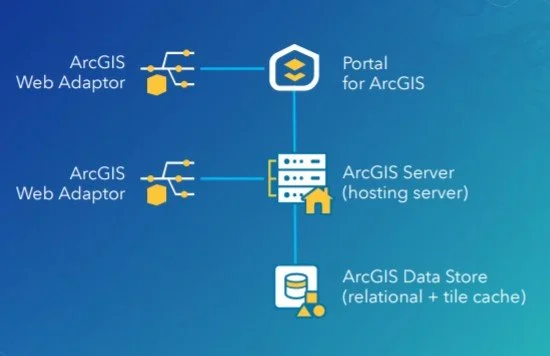
ArcGIS Enterprise Base Deployment Schematic
What This Partnership Means for MSGS
Our subconsultant partnership with GEOGRAPH Technologies is mutually beneficial:
Tailored Solutions: By combining GEOGRAPH’s robust tools with our industry knowledge in Enterprise GIS, we can develop tailored solutions to meet the unique needs of their clients in the telecommunications industry and beyond!
Enterprise GIS: This collaboration will initially focus on completing Enterprise GIS Deployments for GEOGRAPH’s customers, including the implementation and integration of CrescentLink into the customer’s broader GIS/IT ecosystems. These efforts will address a strategic need for their customers, as it is a prerequisite requirement to using their CrescentLink platform.
Geospatial Solutions Plans (GSPs): In addition to our Enterprise Deployment services, GEOGARPH Customers can purchase prepaid blocks-of-hours on a subscription-based model. These flexible plans can be used for nearly any GIS consulting task, including geodatabase management, basic script development, training, and more. The GSP provides an efficient way to access expert support tailored to the customers unique geospatial consulting needs.
“The team at GEOGRAPH is nothing short of fantastic to work with. They care deeply about their customers and have an exceptional product [CrescentLink] for managing telecommunication plant assets and connectivity information. We look forward to working closing with them to help their customers get the most out of the CrescentLink deployments. ”
Looking Ahead
The entire MSGS Team is humbled by the trust and relationship that we are developing with GEOGRAPH. We’re already working closely on several smaller pilot projects, with many more in their sales funnel. Stay tuned as we share more about specific projects and successes stemming from this partnership!