

Reinforced Attendance.
Earlier this March, I had the opportunity to attend the Esri Partner Conference (EPC) and Developer Summit (DevSummit) in Palm Springs, California. This marked my fifth time attending EPC. Every time I go, I’m reminded that while the sessions, product updates, and technical insights are invaluable, the real benefit lies in the connections and networking that happen throughout the event. It’s an experience that extends beyond the formal agenda—one that reinforces why attending these events is essential for any organization leveraging Esri’s technology.
Earlier this March, I had the opportunity to attend the Esri Partner Conference (EPC) and Developer Summit (DevSummit) in Palm Springs, California. This marked my fifth time attending EPC. Every time I go, I’m reminded that while the sessions, product updates, and technical insights are invaluable, the real benefit lies in the connections and networking that happen throughout the event. It’s an experience that extends beyond the formal agenda—one that reinforces why attending these events is essential for any organization leveraging Esri’s technology.
Plenary Session: Setting the Stage for Innovation
The Plenary Session at EPC is always a highlight, and this year was no different. Jack Dangermond kicked things off with his signature enthusiasm and deep insights about the future of GIS. The session showcased the latest updates to the ArcGIS ecosystem, with a strong emphasis on AI integration, ArcGIS Knowledge Graphs, and real-time geospatial analytics. It was exciting to see demonstrations of how ArcGIS Pro, Enterprise, and Online continue to push the boundaries of what’s possible in geospatial technology.
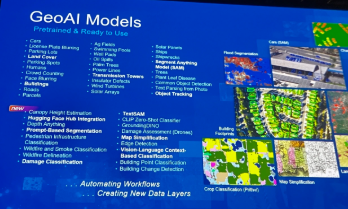
One of the standout demonstrations highlighted how ArcGIS Image Analyst and ArcGIS Pro are leveraging AI to detect and classify objects in imagery at unprecedented speeds. Another session explored how ArcGIS Knowledge Graphs and AI-driven link analysis are transforming how we analyze complex spatial relationships and networks. As AI continues to evolve, it’s clear that Esri is positioning its technology to empower organizations to harness these capabilities for more intelligent, data-driven decision-making.






Technical and Sales Sessions: A Balanced Approach
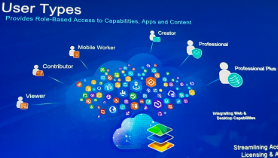
While the Plenary provided a glimpse into the future, I spent a significant portion of my time attending sales-focused sessions designed to help partners better promote Esri products and effectively sell geospatial services. These sessions were packed with insights on how to align Esri’s technology stack with client needs, demonstrate the value of enterprise GIS, and position services in a way that maximizes impact for clients.
One of the key takeaways was the importance of understanding customer pain points and tailoring solutions that address real-world challenges. Whether it’s highlighting the benefits of migrating to ArcGIS Online for improved collaboration or promoting the power of ArcGIS Enterprise for organizations requiring on-premises control, these sessions emphasized that successful selling is rooted in serving clients better. I also picked up valuable strategies for building long-term relationships with clients by offering managed services and ongoing GIS support—an approach that aligns perfectly with the goals of Maurer-Stutz Geospatial Services (MSGS).
The Real Value: Networking and Collaboration
As much as I enjoy the technical content, the most meaningful part of attending EPC and DevSummit is the networking. Being in Palm Springs with GIS professionals, developers, and partners from around the world creates countless opportunities to exchange ideas, solve challenges, and explore new partnerships. Whether it’s a chance encounter over coffee or a deeper conversation during a breakout session, these connections often lead to collaborations that drive real value long after the event ends.
This year, I had the opportunity to reconnect with old colleagues, meet potential partners, and strengthen relationships with other Esri partners. Conversations ranged from sharing best practices for enterprise GIS management to brainstorming ideas for integrating emerging technologies into our service offerings. These interactions are what make attending EPC and DevSummit more than just a learning experience—they make it an opportunity to build relationships that fuel growth and innovation.
A Minor Perk: Escaping Central Illinois in March😉
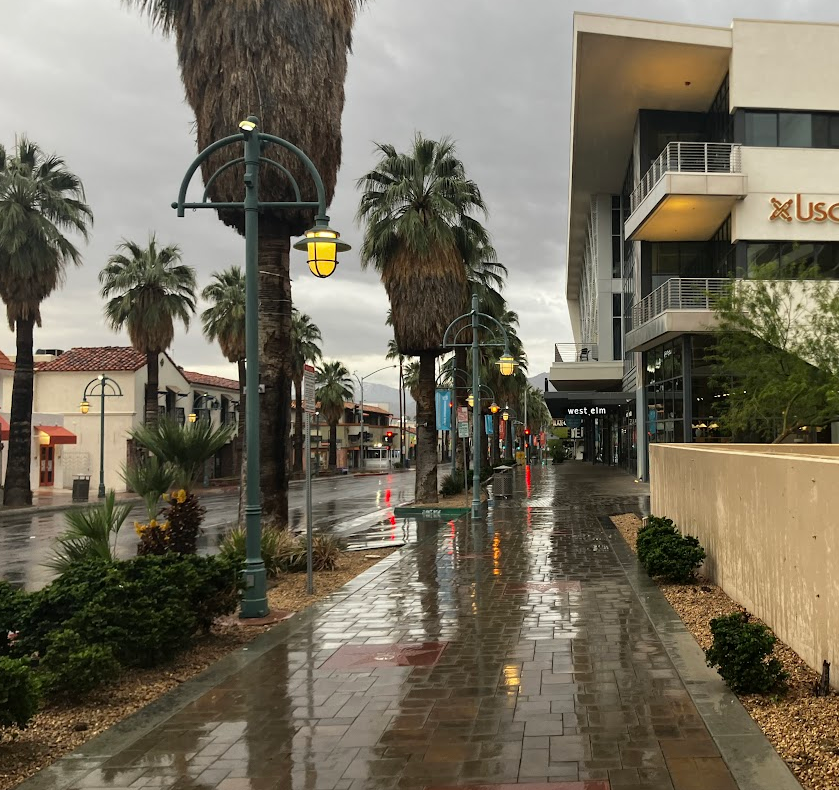
Of course, I’d be remiss if I didn’t mention the minor perk of escaping the unpredictable weather of Central Illinois in early March. Palm Springs provides the perfect backdrop for a week of learning and networking, with its warm sunshine and stunning views of the San Jacinto Mountains. Even though it did rain for a day or two, it’s still a welcome change from the Midwest’s lingering winter, and it certainly adds to the appeal of making the annual trek to EPC and DevSummit.
Why I Keep Coming Back
After five EPCs, I can confidently say that attending is about more than just staying up to date with the latest GIS technology—it’s about being part of a community that’s shaping the future of geospatial innovation. The sessions provide the knowledge, but the connections provide the inspiration and momentum to apply that knowledge in ways that drive real impact.
If you’re considering attending in the future, I can’t recommend it enough. Whether you’re a developer looking to deepen your technical expertise, a business leader focused on expanding your GIS capabilities, or a partner aiming to better serve your clients, EPC and DevSummit offer a unique blend of learning, networking, and inspiration that’s hard to find anywhere else. Plus, a little sunshine in Palm Springs doesn’t hurt either.

Got Questions about this Blog? We can tell you what we know. Fill out the form below and we will get back to you as soon as we can. 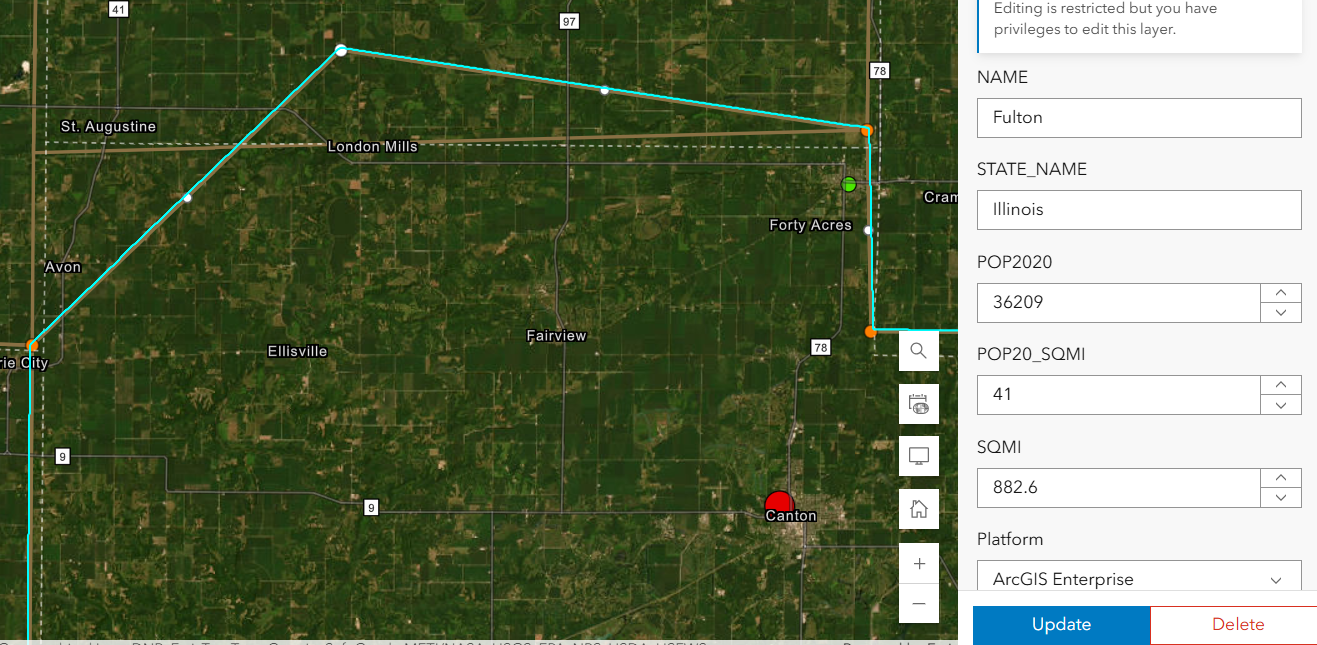
Shared Update is Shared Administration
Here’s the setup: You’ve carefully crafted a web map and application in ArcGIS Online. The data is perfect, the configurations are solid, and you’re ready to share it with your team. But then, you notice something alarming — edits are possible when they shouldn’t be. Despite your best efforts to lock things down, the data is still editable in ways you may not want. This was the exact situation we faced recently. Here’s how we untangled the mystery and discovered (via tech support) a hidden pitfall in group permissions that every ArcGIS Online user should know about.
Geospatial > The Layer File > Shared Update is Shared Administration
Preventing Unwanted Edits in ArcGIS Online: A Support Case Story
Here’s the setup: You’ve carefully crafted a web map and application in ArcGIS Online. The data is perfect, the configurations are solid, and you’re ready to share it with your team. But then, you notice something alarming — edits are possible when they shouldn’t be. Despite your best efforts to lock things down, the data is still editable in ways you may not want.
This was the exact situation we faced recently. Here’s how we untangled the mystery and discovered (via tech support) a hidden pitfall in group permissions that every ArcGIS Online user should know about.
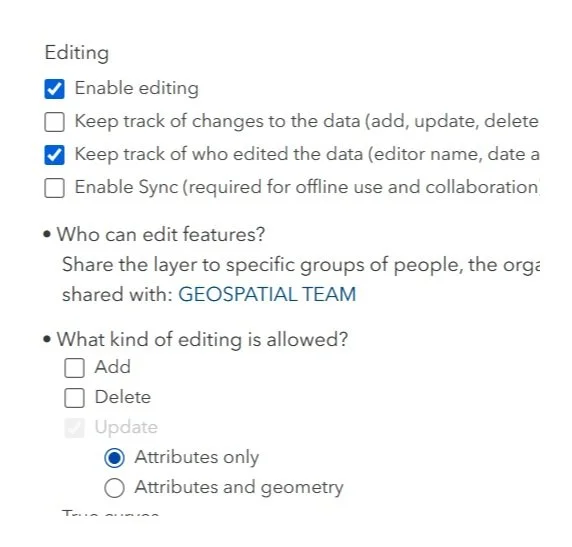
It’s right there! Just click it!
The Puzzle Begins
Our journey started with two accounts: an admin account and a creator role responsible for Editing ATTRIBUTES of a hosted feature layer in an Experience Builder application. Our goal was simple:
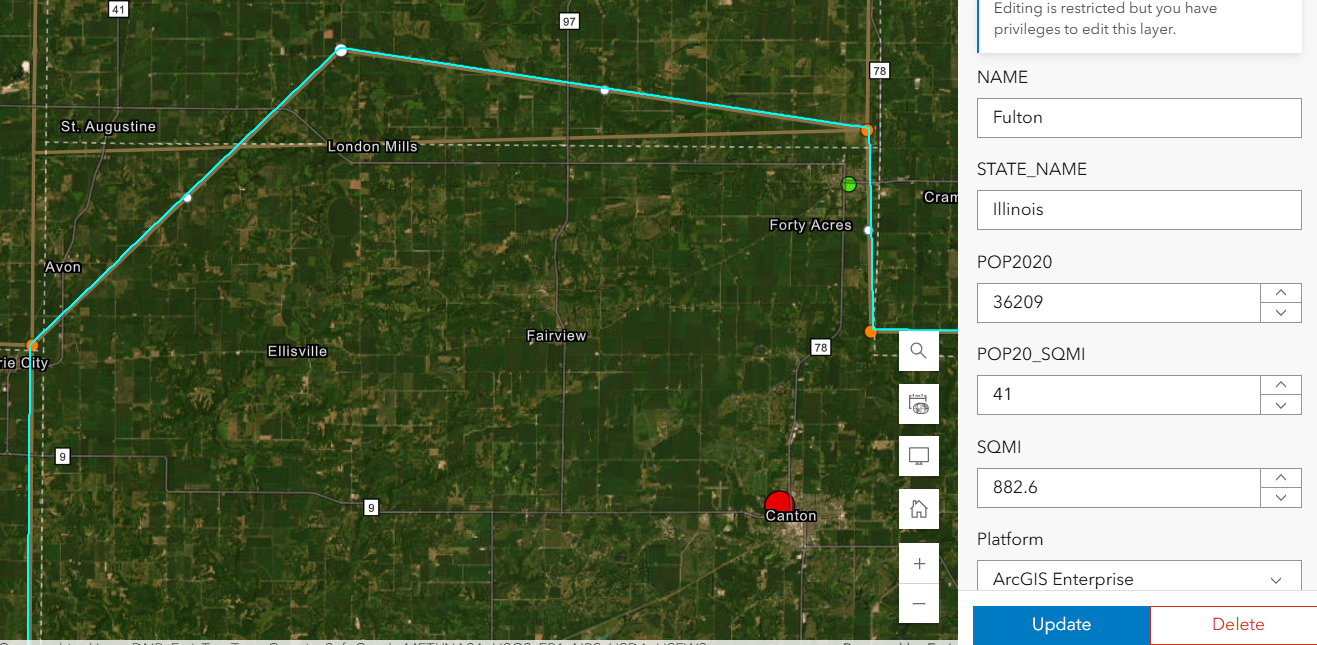
Welp. That’s not supposed to happen….
Prevent Geometry Changes except for the admin or data owner. No sweat right? Just set that variable in the Feature layer’s settings. Done- Duh.
Except, after using the Admin to set that option , my Creator user could still add, delete and change the geometry.
We double-checked everything:
Just for fun, we totally disabled editing in the hosted feature layer settings — check.
The Experience Builder edit widget was configured to prevent edits — check.
Yet, somehow, edits were still possible. It didn’t make sense. We were sure we had all the right settings in place, but the problem persisted. The Creator user could edit vertices in the webmap AS WELL AS resize polygons in the Experience Builder application. In fact that Creator user could change these settings as well as add fields or enable attachments on a layer it did not own.
Digging Deeper
After some thorough troubleshooting with Esri Tech Support, the only commonality was that the users were both a part of the same group. The web map, app, and layers were all shared with this group — a shared update group, to be exact.
For those unfamiliar, shared update groups are powerful collaboration tools in ArcGIS Online. They allow multiple people to edit items shared within the group. However, with great power comes great responsibility (and a potential for unintended consequences).
Esri’s documentation on creating groups carries this important caution:
Caution: A shared update group allows all members to edit items shared with the group. Be careful when enabling this capability, as it overrides individual item settings for editing. …members of this group also have elevated privileges, such as the ability to edit the contents of hosted feature layers, append and update a hosted feature layer using the content of a file, alter editor tracking settings, enable or disable attachments, and alter the layer's schema.

Despite our feature layer and widget settings, the shared update group’s permissions were overriding everything, allowing geometry edits to slip through. The fact that the setting disallows adding, deleting, or changing geometry, means nothing. The layer being shared with a ‘shared update’ group overrides ALL those settings!
Finding the Solution
With this realization, the path forward became clear. We needed to change how we were sharing the content. Here’s what we did:
Created a new group without shared update privileges.
Shared the web map and app with this new group instead.
Tested it — and this time, with the same user, no unwanted geometry edits!
By removing the shared update capability, we ensured that only the admin or data owner could make changes. The issue was finally resolved.
This experience highlighted an important lesson about managing permissions in ArcGIS Online:

Shared update groups are powerful but can lead to unintended edits. If you don’t need collaborative editing, avoid using shared update groups. Stick to regular groups to keep your content secure.
Taking a moment to review your group settings can save you from unexpected headaches. It’s a subtle but critical detail that can make all the difference in protecting your data.
In the world of geospatial data, collaboration is essential, but so is control. Understanding how permissions work — and how group settings can override individual item configurations — is key to successful content management in ArcGIS Online. Next time you set up a web map or app, ask yourself: Who really needs editing privileges?
Choose your groups wisely, and your data will stay secure.
If you ever find yourself puzzled by permissions, remember: We are here to help you unravel the mystery.
From Maps to Meaning: Celebrating GIS Day
Join us on November 20 for GIS Day, part of American Association of Geographers’ Geography Awareness Week, as we celebrate the impact of Geographic Information Systems in solving real-world challenges! Established by Esri in 1999, GIS Day brings together GIS professionals, students, and curious minds worldwide to showcase how mapping technology helps us understand and improve the world around us.
Geospatial > The Layer File > From Maps to Meaning
Celebrate GIS Day on November 20, 2024, and Explore the Power of Maps!
Join us on November 20 for GIS Day, part of American Association of Geographers’ Geography Awareness Week, as we celebrate the impact of Geographic Information Systems in solving real-world challenges! Established by Esri in 1999, GIS Day brings together GIS professionals, students, and curious minds worldwide to showcase how mapping technology helps us understand and improve the world around us. This year, I'm honored to speak at the McLean County GIS Consortium’s event, where we’ll explore the latest in GIS technology, real-life applications, and the future of spatial insights. From interactive exhibits to live demos, the event promises something for everyone, whether you're a GIS pro or simply fascinated by the world of maps.
GIS Day encourages us all to appreciate geography's role in our lives and its transformative power, from smart city planning to disaster response. As part of Geography Awareness Week, it's a perfect chance to learn about GIS and connect with others who are passionate about mapping solutions for a better world. To learn more about the event and register, visit the McLean County GIS Consortium’s page.